If you are citizen of an European Union member nation, you may not use this service unless you are at least 16 years old.
You already know Dokkio is an AI-powered assistant to organize & manage your digital files & messages. Very soon, Dokkio will support Outlook as well as One Drive. Check it out today!
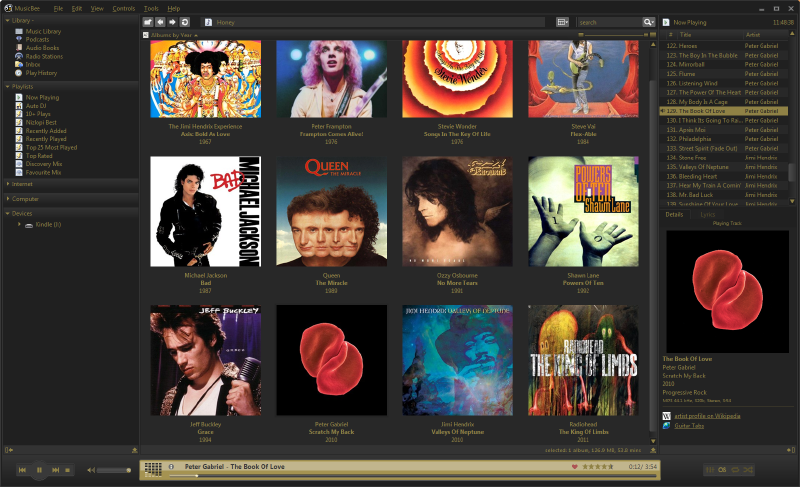
There are many skins available to download and use. The Skins section of the forum is constantly updated with new skins so check there for ones not listed here. To use any of these skins simply download the file, extract to the Skins folder in your MusicBee installation directory (for example C:\Program Files\MusicBee\Skins), then restart MusicBee, select the skin from the View menu and restart.
Default Skins
These are the skins included in the standard MusicBee installation. You should already have these but they can be downloaded here.
Screenshots of all the default skins can be found here.
User-Made Skins
These skins are made my MusicBee users. Please check the forum links for updated skins and further details. Click on the title of the skin to download it.




Comments (0)
You don't have permission to comment on this page.